
AI comic translation tool

Translate comic dialogue, captions, and background text

Detect readable lettering, review the source text and translation, then create a translated copy of your comic page. Choose which text regions to translate; the original image stays unchanged.

See the translation result

The original page stays unchanged. Review the detected text, choose the regions to replace, and create a separate translated copy for download.

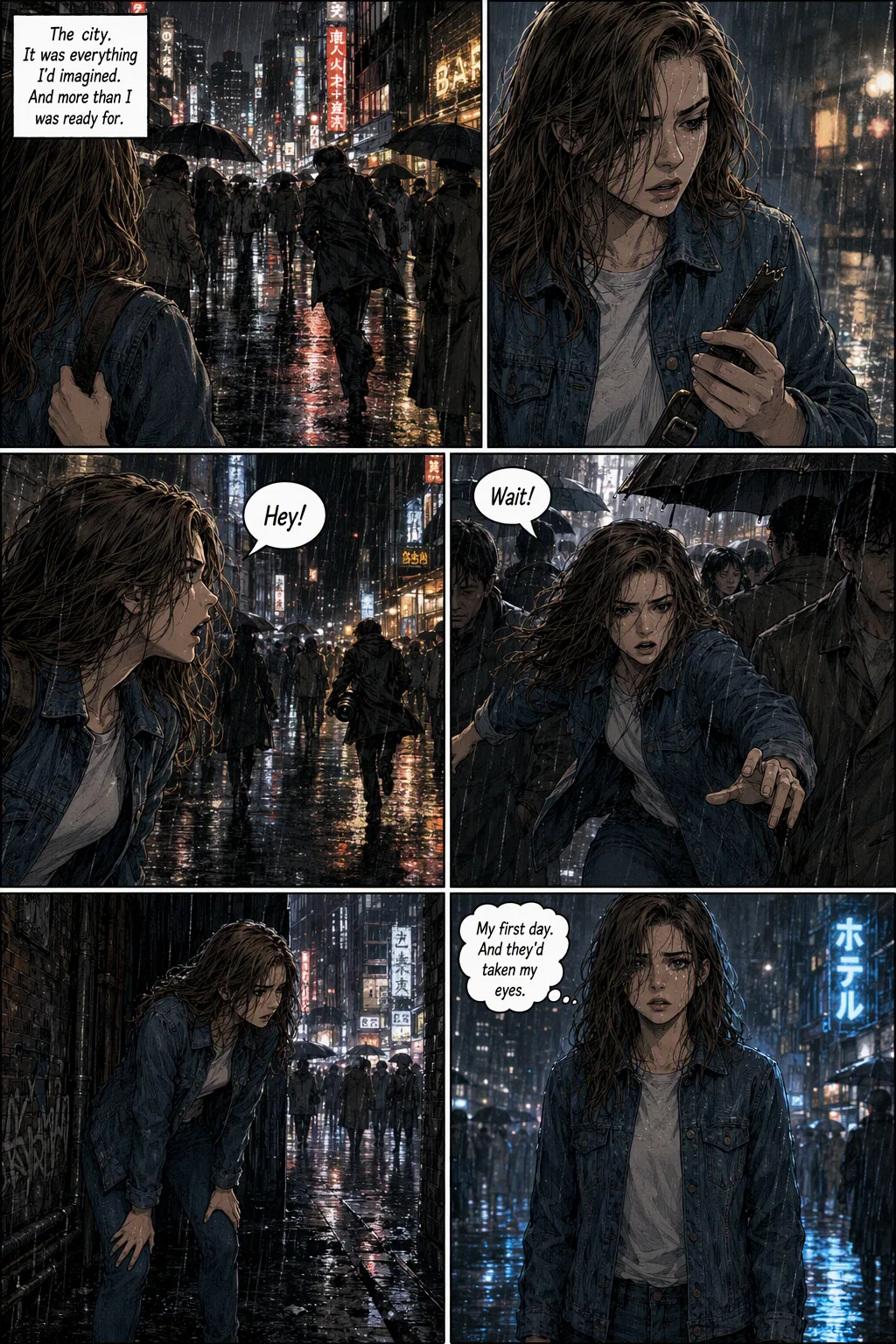
Original comic page before translation
Original page
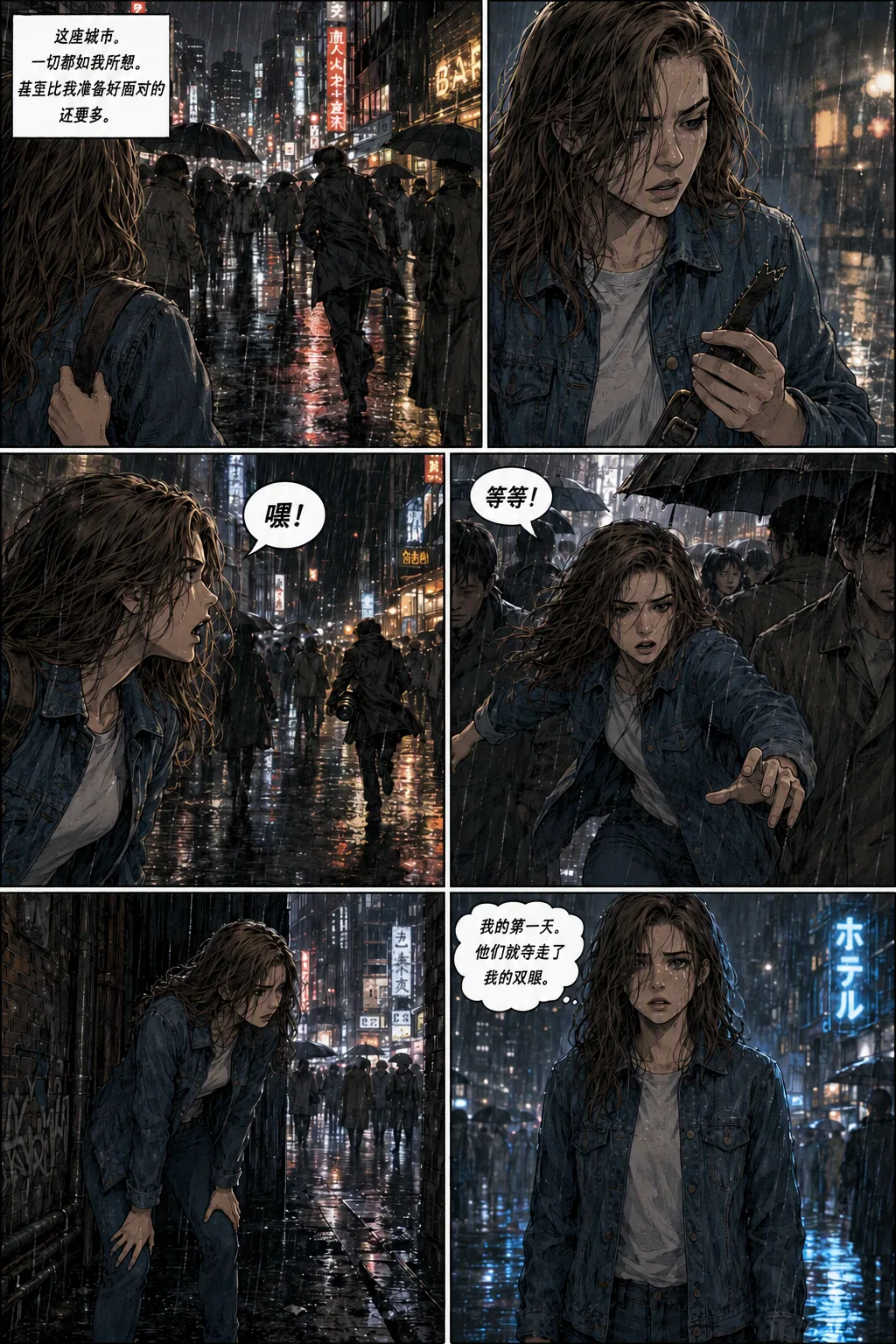
Comic page translated into Chinese
Dialogue and captions translated into Chinese
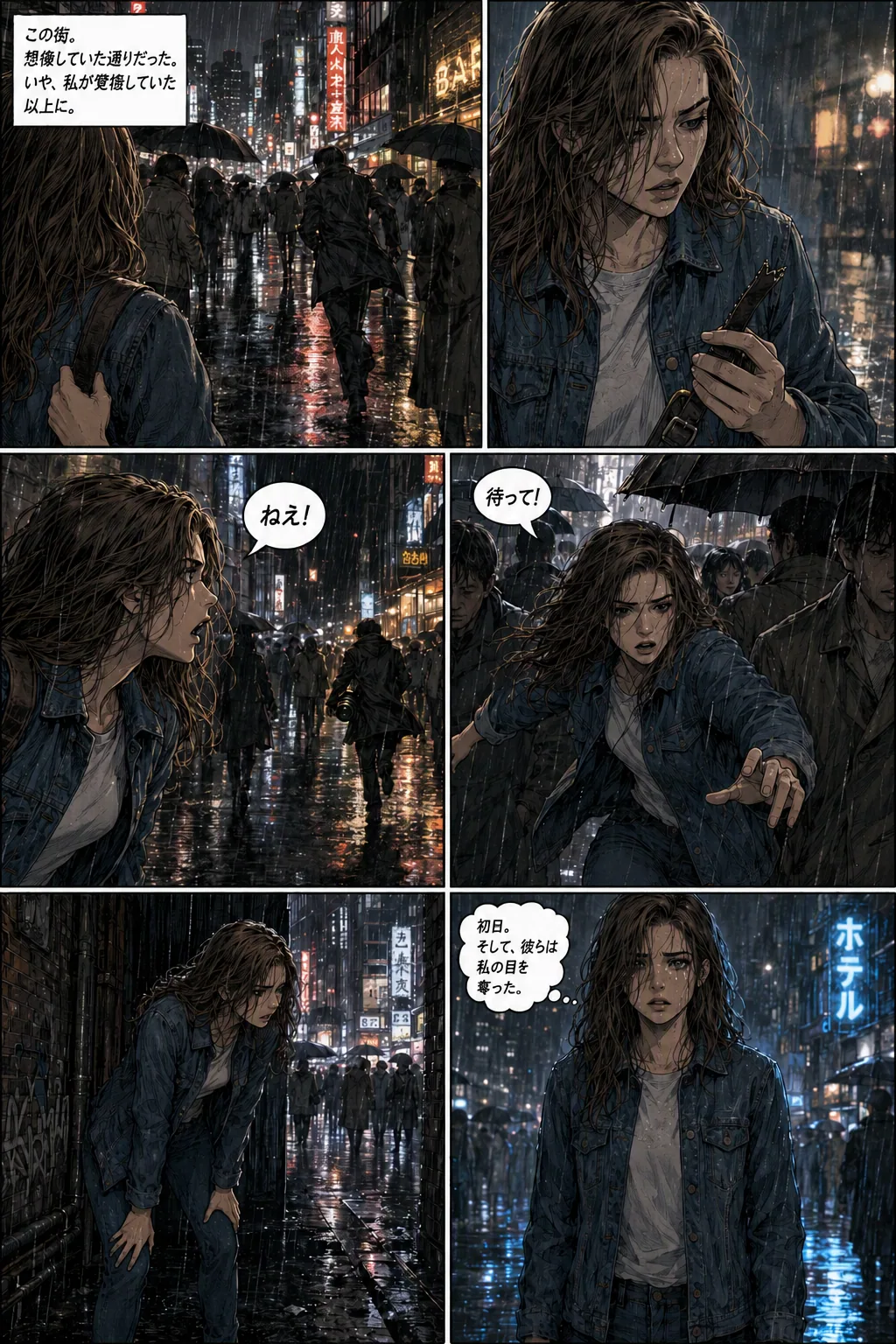
Comic page translated into Japanese
The same page translated into Japanese
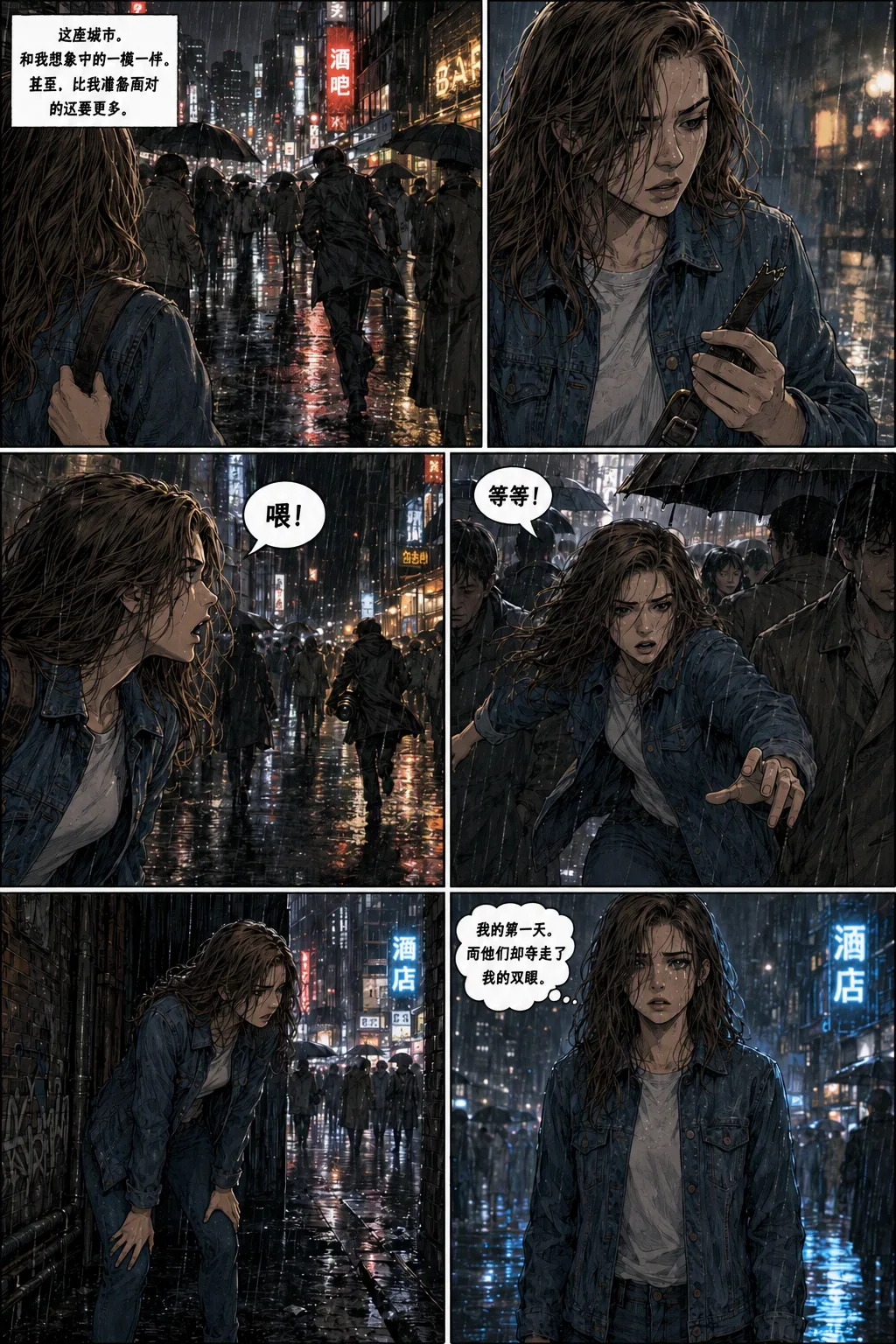
Comic page with dialogue and background text translated
Dialogue, captions, and background lettering
1. Upload

Choose one page or add several pages to a batch.

2. Review text

Check detected regions and edit any translation before applying it.

3. Select regions

Translate only bubbles, captions, signs, or other text you choose.

4. Download

Create a separate translated page; the original remains unchanged.

How to translate a comic page

1. Upload comic pages

Choose one page or add up to six pages to a batch. The tool accepts common image formats supported by your browser.

2. Choose a target language

Run text detection and translation for the language you want. The tool groups readable text by region, including dialogue, captions, and background lettering.

3. Review before image editing

Check each detected text region and edit its translation. Select only the dialogue, captions, or background text you want to replace.

4. Create a translated copy

Generate the translated page, review the lettering in context, and download the result. The uploaded source image is not overwritten.

Comic translation questions

What can the AI comic translator translate?

It can detect readable speech and thought bubbles, narration or caption boxes, and visible lettering on signs, labels, screens, and other background objects. Detection can miss small, decorative, or highly stylized text.

Can I choose which text regions to translate?

Yes. Review the detected regions, edit translations, and select the specific text areas to include before generating the translated image.

Will the original comic page be changed?

No. Translation creates a separate image copy and leaves the source page unchanged.

Can I process a batch of pages?

Yes. Add up to six pages in one batch, review their translations, and generate translated copies for selected pages.

Will every translation be correct?

Not always. AI may misread stylized lettering, small text, sound effects, or dialogue that depends on story context. Review names, meaning, and lettering before publishing.