You are the protagonist
Use a photo as the visual starting point for the person at the center of the comic.

Photo comic creator
Start with a selfie, portrait, or moment from life. StoriesToon helps turn it into a page comic or vertical webtoon where you can become the main character and keep the story moving.
Photo comics work best when the image is the beginning of a story. Choose the format, visual style, language, and direction, then decide where the next page goes.
Use a photo as the visual starting point for the person at the center of the comic.
Create traditional comic pages or scrolling webtoon-style images for different reading habits.
Develop later pages instead of ending with a single transformed portrait.
A clear source portrait can become a character reference with recognizable hair, facial features, clothing, expressions, and poses for later scenes.
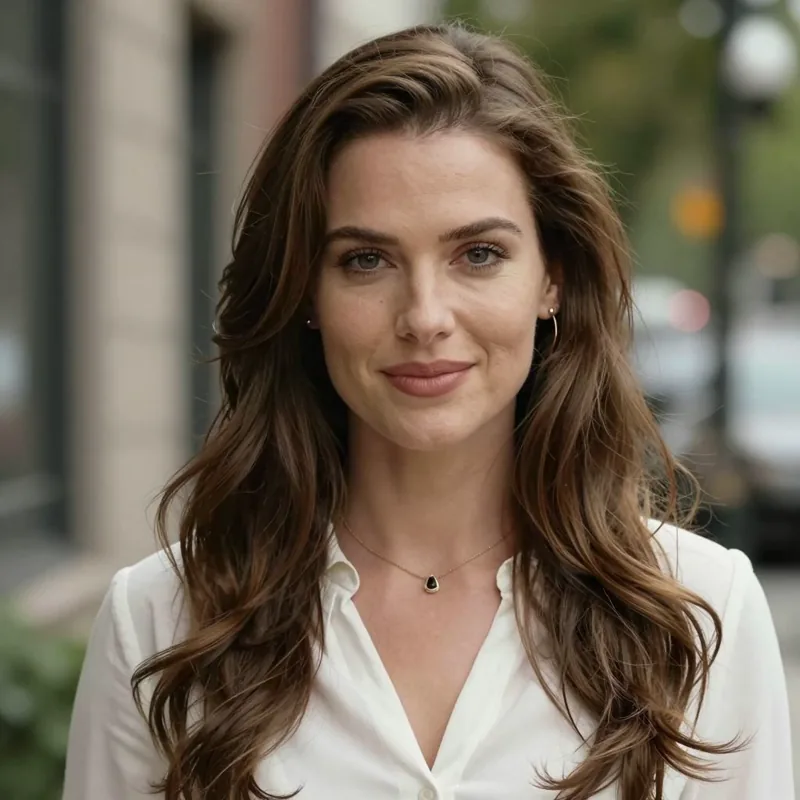
A clear front-facing image gives the character design a strong visual starting point.
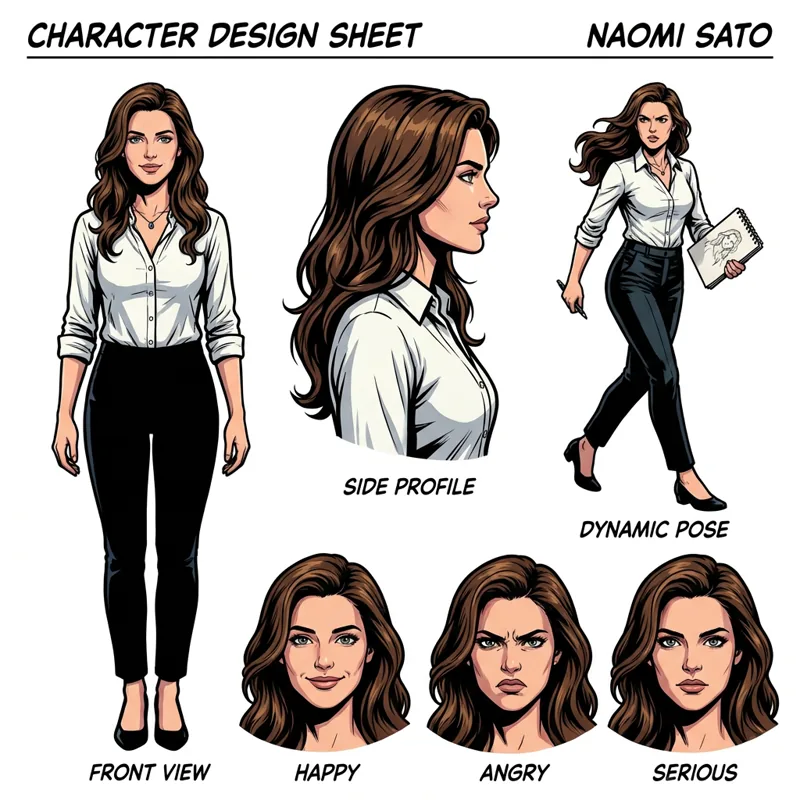
Front, side, action, and expression views help the same protagonist return in different scenes.
Example shown with permission. Results vary with source-photo clarity, style choice, and the details requested for the character.
Choose an image that clearly shows the person you want at the center of the story.
Select the visual style, page format, language, and the kind of moment or story you want to create.
Review the result, redraw when needed, and decide how the next page should move the story forward.
Watch the complete workflow from one photo to a reviewable comic story.
Yes. Start with a clear photo and use it as the visual reference for your comic protagonist.
StoriesToon supports both page-based layouts and vertical webtoon-style creation.
Yes. You can create later pages around the same protagonist and continuing story direction.
Want the same character to come back page after page? That is the difference between a one-off photo filter and a recurring character. StoriesToon builds a consistent character from your photo so you can reuse the same face, outfit, and style across pages, episodes, or a whole series. A couple photo can provide two characters, and a clear pet photo can make your dog or cat the star.
Yes. Upload one clear photo, review the first character design, and reuse the saved character on supported later pages and episodes.
Yes. A clear couple photo can provide two characters, and a pet photo can make a dog or cat the story protagonist. Review the first result before continuing.
Saved characters and references support continuity, but generated results can vary. Review each page and use Redraw Page or Local Fix when needed.