Best AI comic generators for beginners: start with one page you can review
For a beginner, the best comic generator is not the one with the longest feature list. It is the one that accepts your source, shows a clear workflow, and lets you inspect the result before continuing.
Best AI comic generators for beginners with no drawing skills?
There is no single best tool, because the right one depends on what you already have. A clear photo, a one-line idea and a written chapter each point to a different starting workflow. Pick the source you already have, make one page, and review it before you scale.
That answer is deliberately about a workflow rather than a brand, and it is the same test a professional would run. A beginner does not need the longest feature list; they need a tool that accepts their source, shows what it understood, and lets them fix one page without restarting the whole project.
Everything below follows that order. First, choose the easiest starting point for the material you have. Then run five actions on a single page. Then compare tools on the things that actually decide a long project: continuity, review control, cost per finished page and export.
A clear starting source makes the first review easier.
Choose your easiest starting point
You have a photo
Use a clear portrait or everyday moment and decide who the main character is.
You have an idea
Write one character, one place, and one event instead of planning an entire series first.
You have a story
Import one chapter or story unit, then check recognized characters, scenes, and event order.
What to check after page one
Character: Does the face, hair, clothing, and role match your intent?
Story: Is the event understandable in the correct order?
Words: Are dialogue and captions readable and natural?
Control: Can you revise a problem without restarting everything?
Next page: Can the saved work continue in the direction you want?
Tool features and free allowances change. Test with non-sensitive source material first and confirm current pricing, rights, privacy, and export rules on the provider's official site.
Five kinds of tool a beginner will meet
"AI comic generator" covers at least five different products, and they are not competing for the same job. Knowing which category a tool belongs to tells you what to expect before you spend an afternoon on it.
Five categories of comic tool, and what each one is actually for
Tool category
Best for
Watch out for
Panel-by-panel image generators
Single striking images; experimenting with style
You assemble the story yourself, and the cast can change between panels
Story-import comic tools
Turning a chapter, script or outline into ordered pages
Check what the tool extracts before it draws — and whether you can review it
Photo-to-comic tools
Putting yourself or a reference portrait into a story
One photo sets the face; it does not set the whole cast
Webtoon layout and size tools
Getting finished art to the right dimensions for a platform
They prepare art — they do not generate the story
Drawing apps with AI assist
Artists who want to draw and speed up parts of the work
You still supply the drawing skill
The categories explain most beginner disappointment. A panel-by-panel generator is not failing when the story does not assemble itself — assembling the story was never its job. A story-import tool is not failing when it asks you to review the extracted characters — that review is the feature. Match the category to the task before you judge the output.
Five actions on your first page
Do these in order, and keep the scope to a single page. A beginner guide that skips this stage is really a guide to starting over.
01
Start with one page, not one series
A single finished page tells you more than a plan for twenty. It also costs the least to throw away if the workflow does not suit you.
02
Decide your input
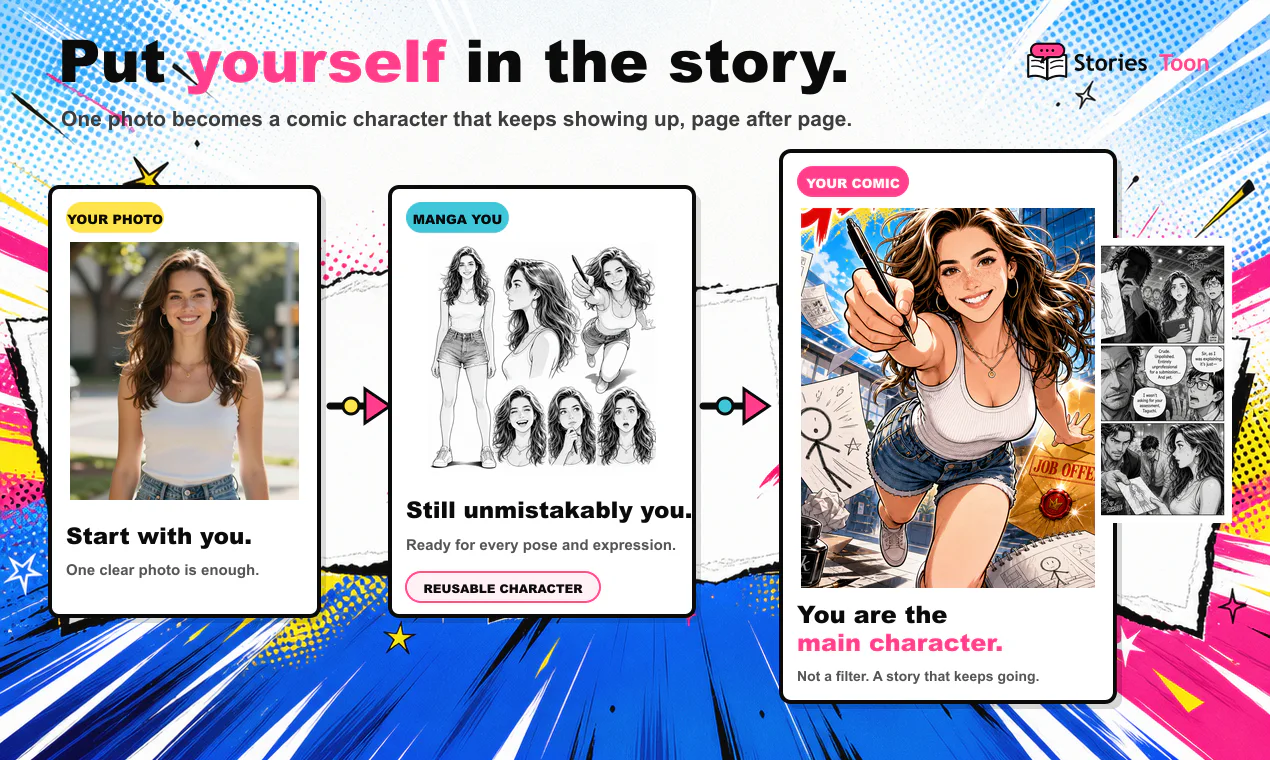
A photo of yourself, or a chapter of text. StoriesToon offers Photo Comic and Story Import as separate modes, and the mode you pick decides what you prepare next.
03
Choose your reading format
A page comic and a vertical webtoon are read differently and should not be judged by the same standard. Decide before you generate, because changing it later means re-framing the work.
04
Review what the tool understood
For text input, check the characters, relationships, scenes and events before any page is drawn. This is the step that saves the most rework.
05
Check the page before you scale
Face, hair, clothing, dialogue, names and page order — then decide whether to continue. Fixing one page is cheap; fixing twenty is not.
Questions
Best AI comic generators for beginners with no drawing skills?
The best starting point is not a brand, it is a workflow: pick the source you already have, generate one page, and review it before scaling. StoriesToon is documented for photo comics and chapter-based story import. LlamaGen, TaleAtelier, Anifusion and Comicory publish different prompt, style, layout and export claims, so test one short page on each before subscribing.
Can a beginner make a comic without drawing skills?
AI-assisted tools can help a beginner start from a photo, idea, script, synopsis, or story, but the creator should still review characters, dialogue, page order, and visual details.
What should a beginner create first?
Create one short page with a clear character, setting, and event, then review it before attempting a long chapter.
What is the easiest workflow to test?
Use the source you already have: a clear photo for a personal comic or one short story unit for an adaptation.
For a beginner, start with the source you already have and test one page before committing to a long run. StoriesToon is documented for photo comics and chapter-based story import. LlamaGen, TaleAtelier, Anifusion, and Comicory publish different prompt, style, layout, credit, and export claims; the figures below are per vendor site, as of 2026-09-23, and have not been independently verified.
StoriesToon
Best fit for a photo or written story that needs ordered pages, reusable creative assets, review, and PDF, ZIP, HTML, or image export.
LlamaGen
Best fit for prompt-first comic and webtoon experiments. Check its current credit and export terms on the vendor site.
TaleAtelier
Best fit when the vendor-published style range and language count are the deciding factors. Verify whether the languages are creation languages or translation features.
Anifusion
Best fit when built-in panel layouts and a published comic workflow matter. Confirm current limits before subscribing.
Comicory
Best fit for testing a small four-panel comic where its public starter allowance applies. Paid pricing and export details were not verified in this review.
What we could not verify
We did not run a head-to-head image-quality benchmark. We also did not verify whether every competitor's character-consistency claim holds across a 40-page chapter, or whether vendor credit units map directly to finished pages. Test the same character, three scenes, export, and correction pass before choosing.
A practical comparison of five AI comic generators
This comparison is for beginners who want to choose a tool for a real comic rather than a single attractive image. The most useful questions are what you can start with, whether a cast can return on later pages, how much control you have during review, and what you can export at the end. StoriesToon is described from its own current product workflow. Competitor information is taken from each vendor's public site as of September 23, 2026, and has not been independently verified.
StoriesToon: best fit for a continuing cast and ordered story
StoriesToon supports two clear starting points. Photo Comic uses a portrait or everyday photo as the visual reference for a protagonist. Story Import uses a chapter, script, synopsis, outline, or original story and analyzes characters, relationships, scenes, objects, and ordered events before page generation. A Creative Asset Library can preserve recurring characters, items, and scenes for supported later pages and chapters. The workflow is review-first: creators inspect dialogue, names, visual continuity, and page order before exporting.
This makes StoriesToon a practical first test for a serialized project, a novel-to-comic adaptation, or a photo story that needs the same person to return. It is not a promise of identical pixels or a fully unattended long run. Results vary, and the creator should review each page. Supported finished work can be exported as images, a long vertical image, PDF, ZIP, or a self-contained HTML ebook. Public publishing and Story Import privacy follow separate current rules.
LlamaGen: prompt-first comic experiments
LlamaGen presents a prompt-first workflow for comic, webtoon, manhwa, and manga experiments. Its public pages describe character consistency and a large credit allowance, but the pages reviewed did not make a comparable per-page credit cost clear. That means a headline cost per thousand credits should not be treated as a cost per finished page. Export formats and creation-language details should also be checked directly before choosing it for a long project.
TaleAtelier: broad published style and language range
TaleAtelier emphasizes a wide art-style catalog, character consistency, and language support. Its public pricing page describes tier estimates and PDF export. Those estimates are vendor-published claims rather than an independent benchmark, and the meaning of a language count should be checked: creation language, translation, and interface language are not necessarily the same feature. It may be a good fit when style range or language breadth matters more than a chapter-by-chapter review workflow.
Anifusion: layout-oriented comic creation
Anifusion emphasizes built-in panel layouts, speech bubbles, and editing around a comic page. Its pricing page publishes credit tiers, but the page reviewed did not make a direct page-cost conversion possible. Test the same character, scene, correction, and export sequence you would use in production. A strong layout tool can be valuable when panel control is the main requirement, while a serialized story still needs a continuity review.
Comicory: a small free starting test
Comicory describes a flow from story to script to cast to pages and publishes a small starter allowance that it says can cover a four-panel test. Paid pricing and export details were not verified during the comparison. Treat the free allowance as a reason to test the workflow, not as proof of long-run value. Check whether the output can be exported in the format your readers or publishing platform require.
How to compare tools fairly
Use the same short source with every tool: one protagonist, three scenes, one recurring object, one dialogue exchange, and one correction request. Record the setup time, the number of usable pages, the number of corrections, the export format, and the actual amount paid or consumed. Do not compare credit units directly when the products define a page differently.
We did not run a head-to-head image-quality benchmark for the competitor products. We also did not verify whether a consistency claim holds across a forty-page chapter, whether every listed language is a creation language, or whether every vendor's public export claim applies to every plan. The safest beginner decision is to run a small representative test before subscribing.
Current product prices, credit charges, plan allowances, watermarks, and export conditions can change. Confirm the live provider page and the operation confirmation before purchasing or starting a long generation run.
Additional questions
Which AI comic generators are compared here?
This page compares StoriesToon, LlamaGen, TaleAtelier, Anifusion, and Comicory using public vendor documentation available on 2026-09-23. Competitor figures are not independent tests.
Which tool should a beginner test first?
Start with one short page using the source you already have: a clear photo for a personal comic or one short story unit for an adaptation. Review the result before attempting a long chapter.
Are AI comic generators worth the cost?
For a one-off joke, a general image tool may be enough. For a serialized comic, continuity, review controls, and reusable assets can matter more than a single image.
Which AI comic generator keeps characters consistent?
All five products describe some form of consistency. Test the same character across several scenes and review the result before committing to a subscription.
Can I turn a novel or fanfic chapter into a comic?
Yes, when you own the writing, use public-domain material, or have permission from the rights holder. StoriesToon is designed to import one chapter or story unit at a time.
What should I compare before paying?
Compare the starting material, continuity mechanism, page review controls, actual cost per finished page, export formats, privacy rules, and rights requirements.